An agentin yourpocket
DeepSeek Harness running on your iPhone and iPad, with a fully native interface.
No computer. No server. Not a web wrapper.


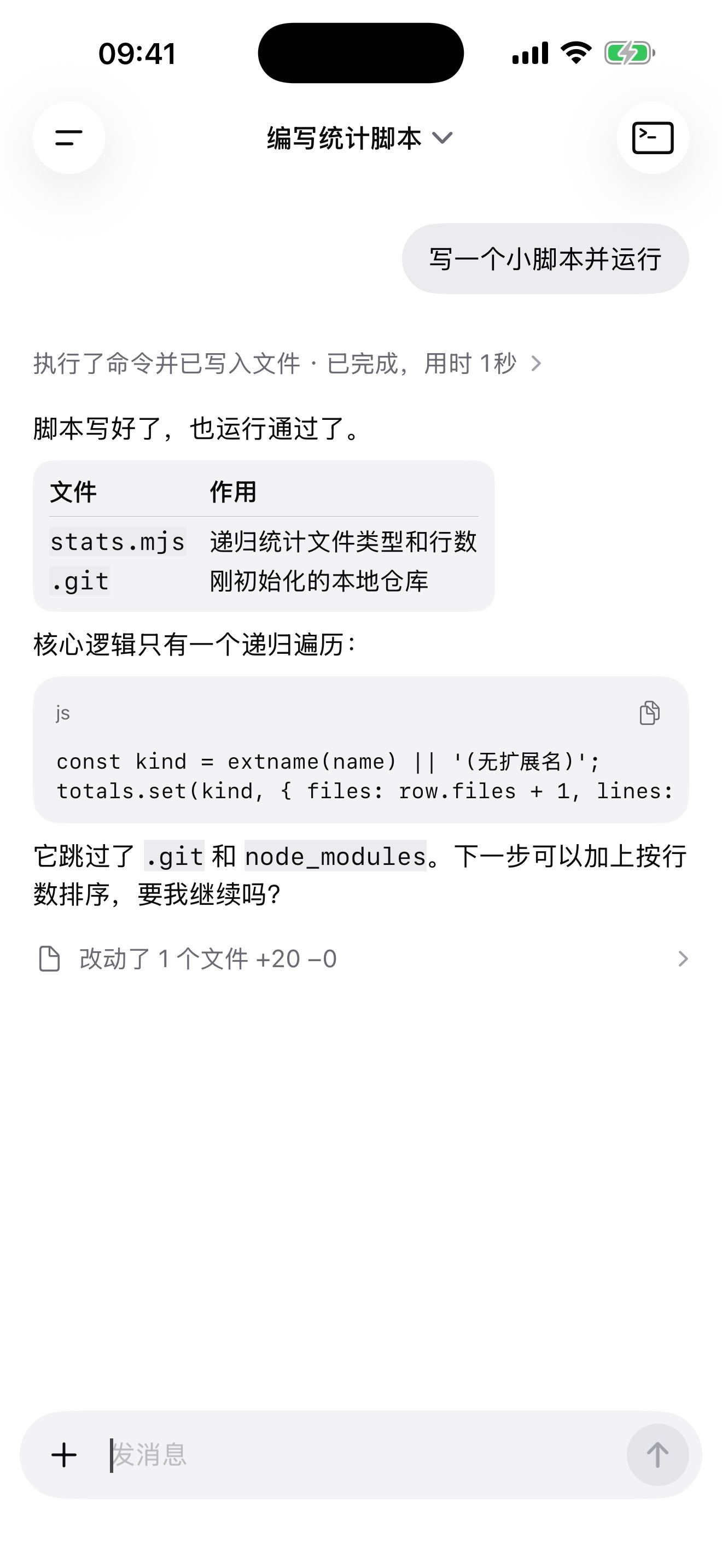
DSH on iPhone / iPad
The engine lives inside.
Fish Pocket puts the whole engine in the app. No computer to connect, no server to rent. Take out your phone and put the agent to work.
No computer needed
The whole engine is in the app, so your phone runs it alone.
Writes code, runs commands
Edit files, run scripts and use Git right on the phone.
A terminal built in
When you want to take over, the terminal is one tap away.
Every screen is truly native.
Not a website squeezed onto a phone. Everything is redesigned the iPhone way, does what the official web version does, and supports dark mode.
Open it and get to work
It starts on a new conversation, with history in the drawer. Replies run edge to edge, and tables and code read beautifully.
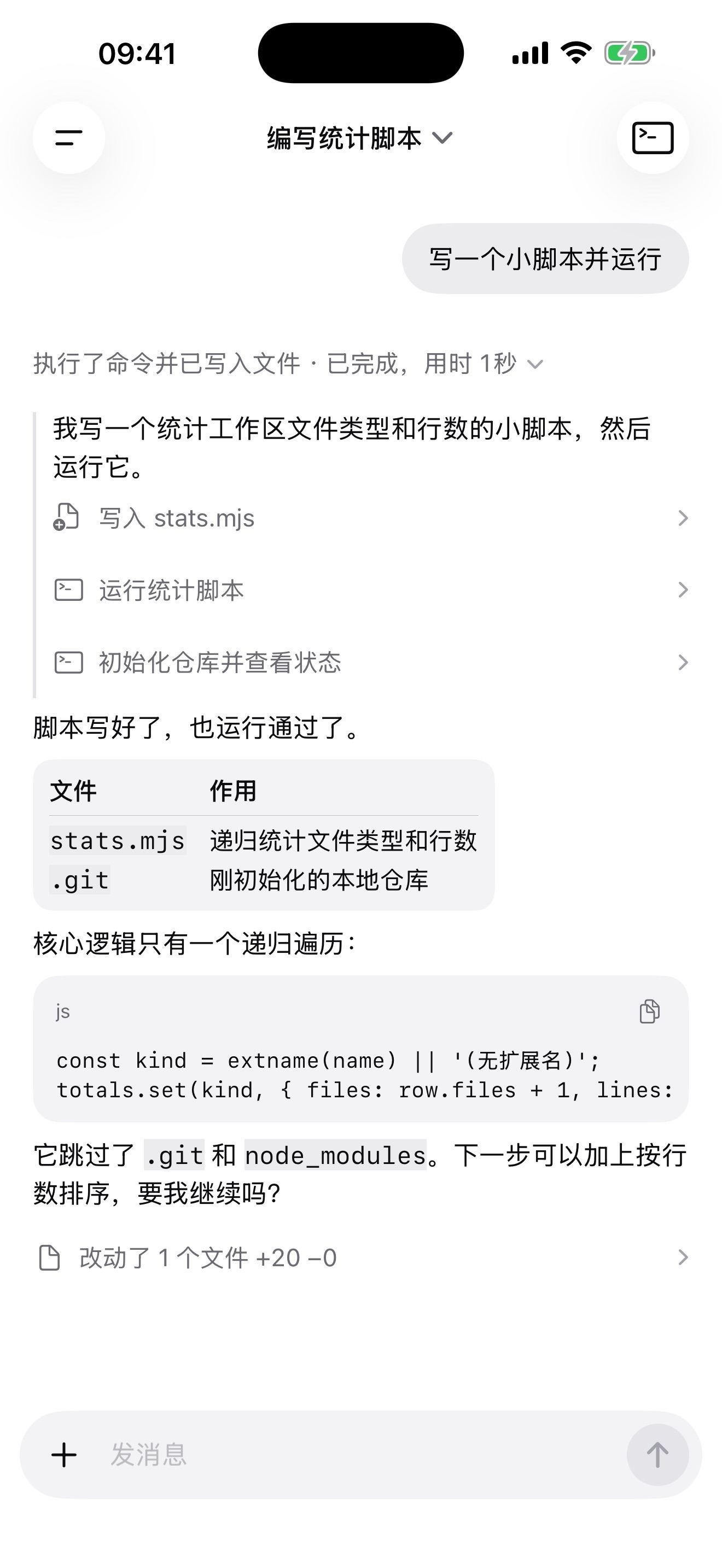
See every step
Work folds into a single line. Open it to see everything the agent did and what really happened.
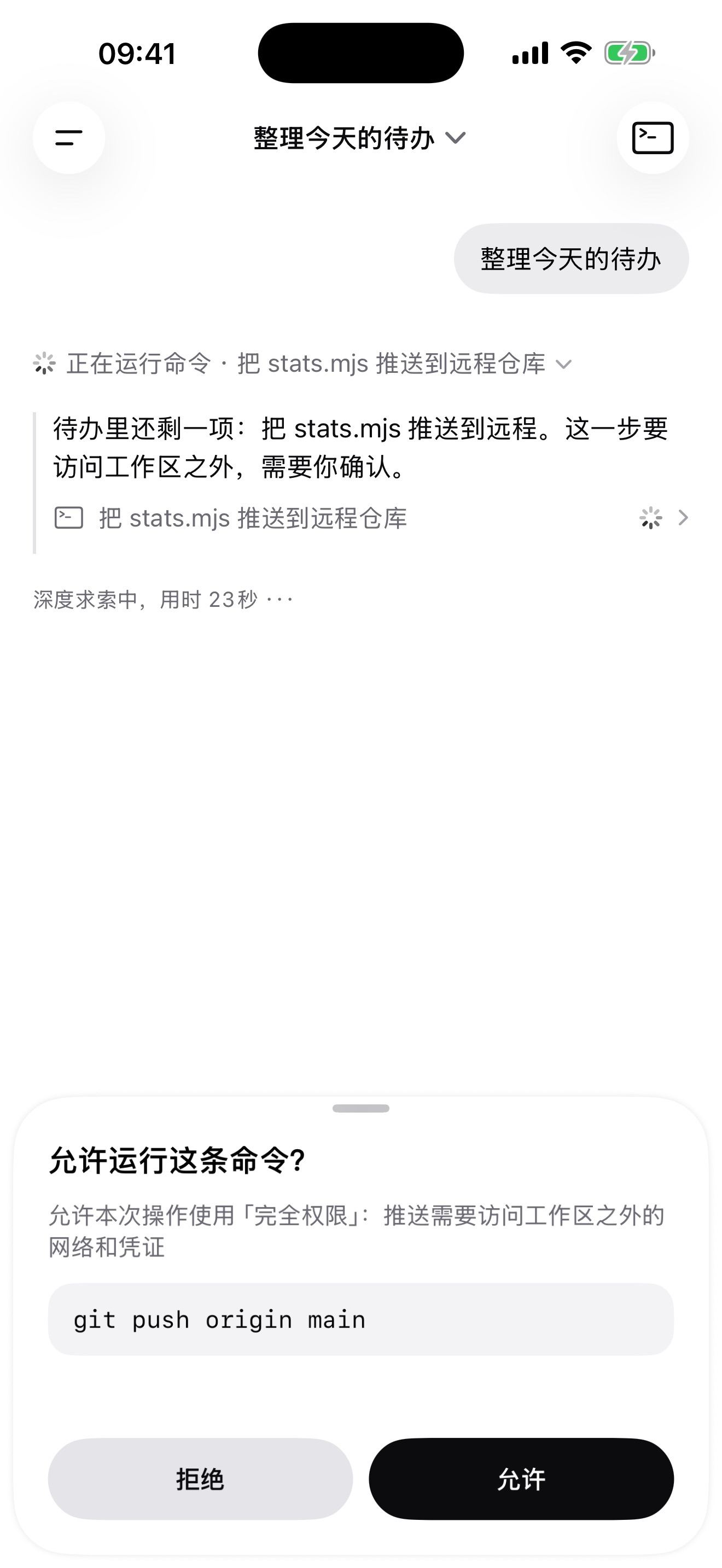
It asks before it matters
When a call is yours to make, it stops and asks, in plain view. Nothing continues until you agree.
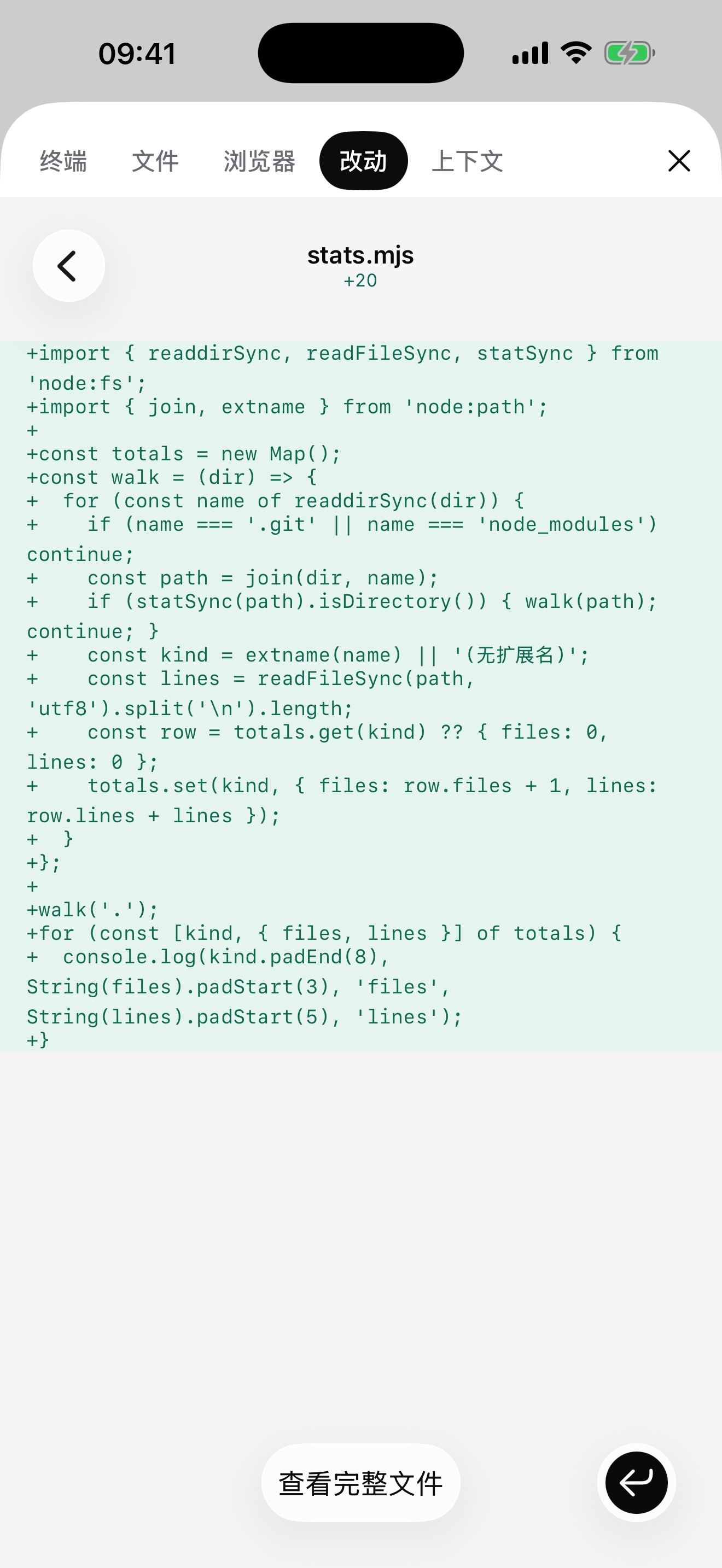
One panel for everything
Terminal, file preview, built-in browser and change review all live in the workbench, one tap from any chat.
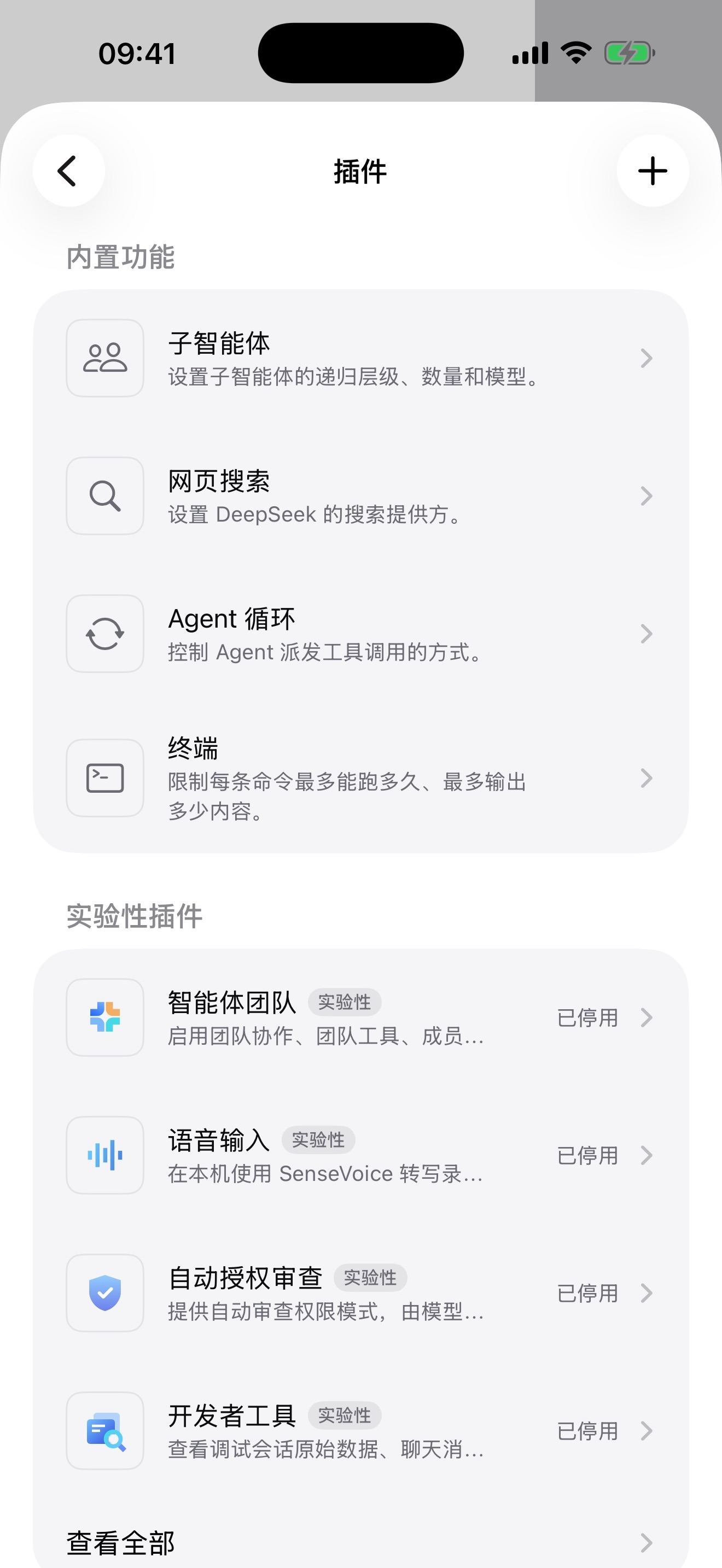
Want more? Add plugins
Install and enable plugins right on the phone, no computer required.
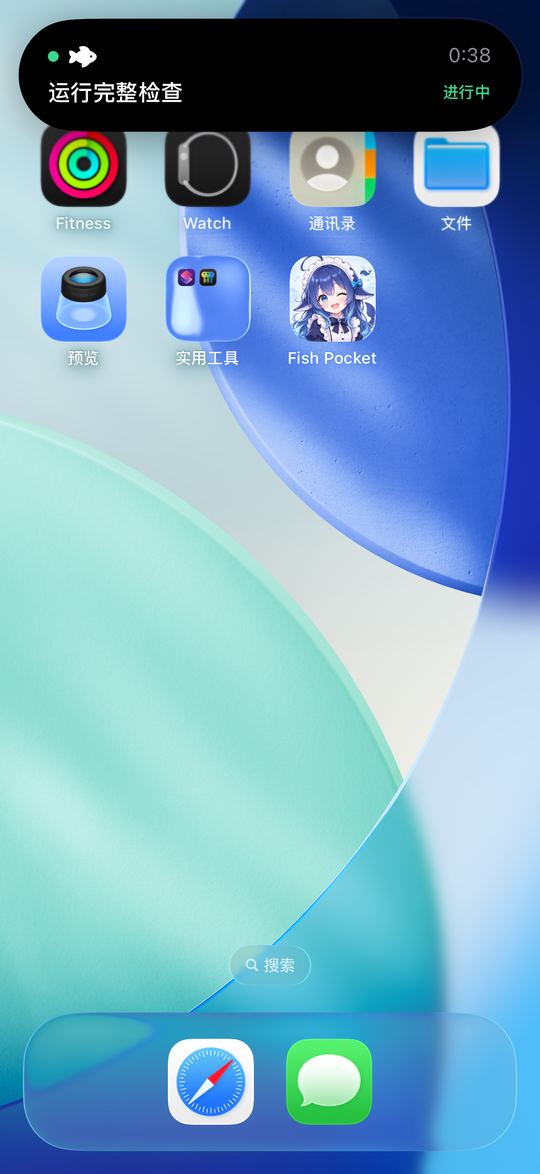
Keeps going in the background
Progress stays on the Dynamic Island and Lock Screen, so you always know where a task is.
On iPad, three things on one screen.
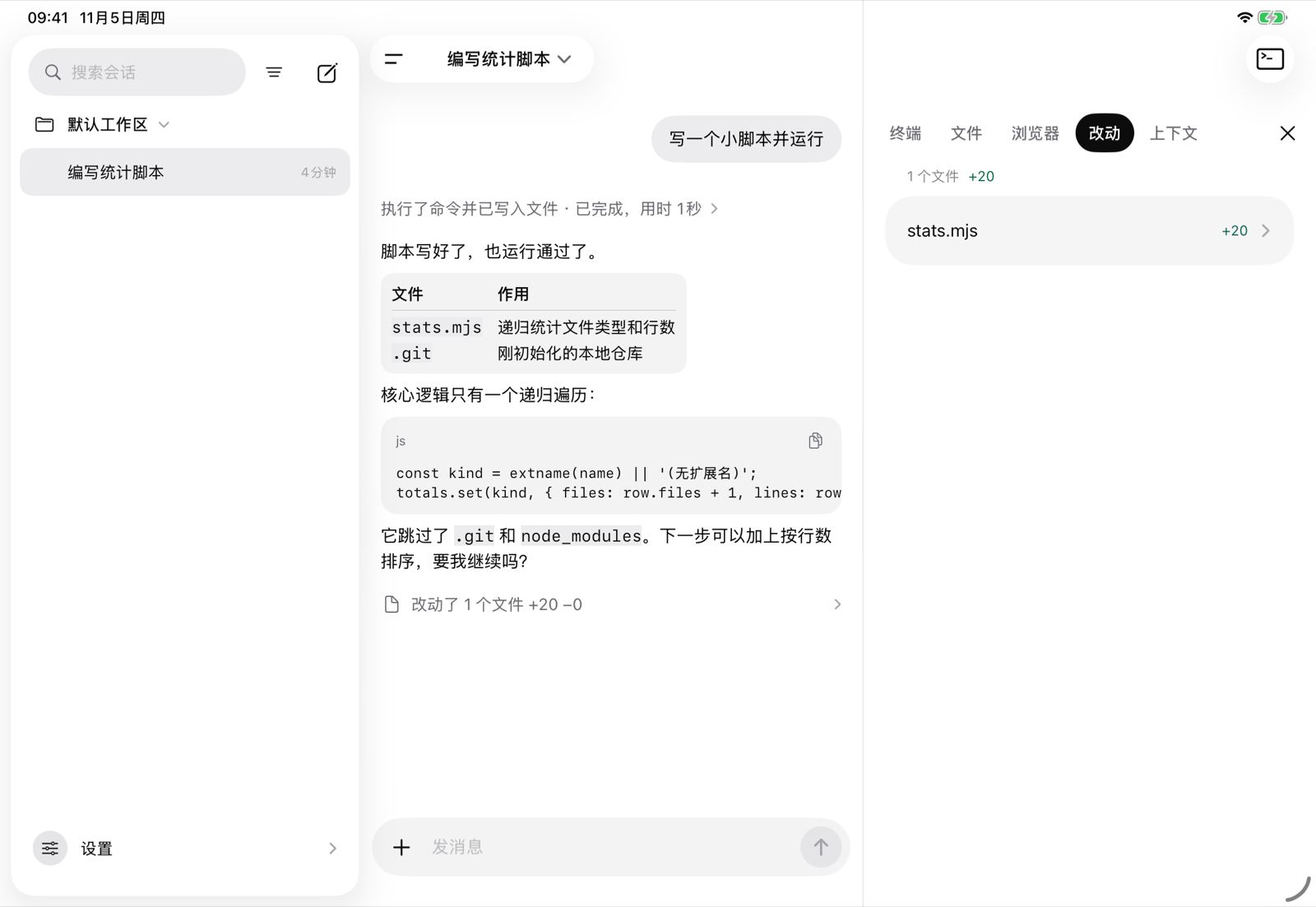
- Persistent sidebar
- Side workbench
- Multiple windows
- File drag and drop
- Keyboard shortcuts
How it compares.
Remote clients need a computer left running. Fish Pocket does not: the engine lives on your phone, ready anytime, anywhere. Among approaches that run right on the phone, it is also the fastest today: Node, Git and Python all run as native code, with no emulator in between.
| Fish Pocket | Remote clients | Web UI on the phone | Linux emulators on iOS | |
|---|---|---|---|---|
| Where the engine runs | Phone | Computer or server | Phone | Phone |
| Interface | Fully native | Depends on the project | Official web version | Command line or official web version |
| Computer must stay on | No: your phone is enough, anytime, anywhere | Yes, it has to stay on and online | No | No |
| Dynamic Island and Lock Screen status | Yes | Depends on the project | Depends on the project | No |
| Full Linux tools | No, only built-in commands | Yes | Depends on the project | Yes |
| Speed | Fastest of the on-phone approaches: Node, Git and Python run as native code | Depends on that computer | Depends on the project | Very slow: CPU instructions are interpreted one by one |
Linux emulators means projects like iSH and UTM SE.
We run no servers.
So we never receive your conversations, files, account details or usage. The app has no ads and no third-party tracking. Sessions and workspaces stay on your device, and model requests go straight to the provider you choose.
Read the privacy policyCommon questions.
What is Fish Pocket?
Fish Pocket is an open-source iOS app that puts the whole DeepSeek Harness (DSH) agent engine on your iPhone and iPad and runs it on the device. There is no computer to connect and no server to rent, and every screen is native. The name comes from the DeepSeek community, which nicknames DeepSeek “the big fat fish”.
Do I need to keep a computer running?
No. Remote clients need a computer that stays on and online. Fish Pocket runs the engine inside the app, so your phone is enough. Only model calls need a network connection.
Is Fish Pocket free?
Yes. The app is free and the code is open source under the MIT license. Model calls use your own DeepSeek account or API key, and the model provider bills you directly, not Fish Pocket.
How do I install Fish Pocket?
We recommend the TestFlight beta, which is available worldwide and gets new versions first. The App Store version is available outside mainland China. You can also build Fish Pocket yourself from the source on GitHub.
Which devices does Fish Pocket support?
Fish Pocket runs on iPhone and iPad with iOS 17 or later. On iPad it adds a persistent sidebar, a side workbench, multiple windows and keyboard shortcuts. The interface is available in Chinese, English and Spanish.
Which commands can it run on the phone?
Fish Pocket includes bash, Node, pnpm, Git and Python, plus everyday commands such as rg, jq, curl, sed and awk. Node, Git and Python run as native code, with no emulator in between. It is not a full Linux system: it cannot compile native code or run Docker.
How is it different from iSH or a remote client?
Linux emulators such as iSH and UTM SE interpret CPU instructions one by one, so they are very slow. Remote clients need a computer left running. Fish Pocket runs natively on the phone itself, with a native interface and task progress on the Dynamic Island and Lock Screen.
Are my conversations and code uploaded?
Not to the developers of Fish Pocket: we run no servers. Sessions and workspaces stay on your device, and model requests go straight to the provider you choose. The app has no ads and no third-party tracking.
Does it only work with DeepSeek models?
Fish Pocket uses DeepSeek by default, with either a DeepSeek account or an API key, and you can configure other model providers.
Can I install DSH plugins?
Yes. Fish Pocket has a built-in DSH plugin store, so you can search for, install and enable plugins on the phone. In a sample of the 50 most downloaded community plugins, 42 worked right away.
Do tasks keep running in the background?
Yes. When you leave Fish Pocket a task keeps running, and its progress stays on the Dynamic Island and Lock Screen.
Is Fish Pocket made by DeepSeek?
No. Fish Pocket is an independent open-source community project. It is not affiliated with, authorized by or endorsed by DeepSeek.
Allow the fish into your pocket?
We recommend TestFlight, where new versions land first. Every App Store release waits for Apple’s review, so it lags behind TestFlight and the open-source repository. Model calls still need a network connection. Use a DeepSeek account or an API key.
testflight.apple.com/join/2SCftb2MOn a computer? Scan with your phone.